Key takeaways
- Stay registered and up to date: Register in every state where you have nexus, and track changing economic nexus laws to avoid noncompliance.
- File accurately and on time: Late or missed filings increase audit risk and can result in penalties, so keep schedules organized and use automation where possible.
- Use reliable tools and audit protection: Automated sales tax software with built-in audit safeguards helps ensure accuracy, reduce errors, and minimize financial risk.
In short: You can avoid an unnecessary sales tax audit with five habits. Register in every state where you have nexus, and track how nexus rules change. File sales tax on time, including prepayments. Use software to calculate tax correctly. And consider audit protection. Late filings, errors and messy records all raise sales tax audit risk.
Every small business wants to avoid an audit. But it can be hard to see why some businesses are audited and others aren't. Whatever the outcome, the audit process is a pain, especially for busy business owners.
A small business audit takes time, and that's frustrating. Depending on the outcome, it can cost far more than a few hours. If you're charged late or nonfile penalties, or the audit shows you owe more tax, the bill could be large. It could be as low as a couple hundred dollars or as much as several thousand. Higher penalties can be enough to force some small businesses to close. That's why it's important to be informed and organized.
The best way to reduce audit stress and the risk of a surprise tax bill is to know the rules. Keep your tax records accurate and complete. This guide covers five best practices for avoiding a sales tax audit. Keep reading to learn what to do, and what not to do, to stay compliant.
1. Register in all states where you have nexus.
The first step is to register to collect sales tax everywhere sales tax is due. That means knowing the nexus rules in every state where you do business. You must always register in the state where your business is located. Register with your home state before you collect sales tax on taxable sales there. The states without state sales tax are Delaware, Montana, Oregon, New Hampshire, and Alaska (though Alaska allows local sales tax).
Unless your business is in one of those 5 states, retail sales in your home state are mostly taxable. In the restaurant industry, some areas have exceptions, such as to-go orders, cold food and bakery items. See our state-by-state sales tax guides for more on how food is taxed in your state.
Most states also add local sales tax rates on top of the state rate. So knowing the correct rate matters. If you have more than one location or sell in several areas, the rate will likely change from place to place. Make sure your POS software is set up to collect the right tax percentage.

You can register to collect sales tax online with the state's Department of Revenue. Some states call it the Department of Taxation, Commissioner of Revenue, or similar. In most cases, registration is free. Some states do charge a small fee ($10 is common) or ask for a deposit before you can collect tax.
Once you've registered, you'll get your state's version of a Retail Sales Certificate. You must display it in a visible place. If you have more than one location, you'll usually need to register each one separately.
If you sell across state lines, things get a little murky, especially for online retailers. Some states set a yearly threshold for sales count or sales revenue. Above that threshold, you have nexus. Other states only require you to register and collect tax under certain conditions. Examples include holding inventory in the state or having an affiliate who lives there. For a closer look, see What the Supreme Court’s Ruling on Sales Tax Means to Small Businesses.
2. Understand the changing nature of sales tax nexus.
Sales tax nexus rules keep changing, so check them often. In 2018, the Supreme Court overturned the Quill v. North Dakota ruling. Since then, states have expanded their definitions of nexus. For more on the states where you make sales, our state-by-state sales tax guides are a good place to start. Early states to bring in new sales tax laws after the ruling, or to enforce laws they already had, included:
- Connecticut
- Kentucky
- Nebraska
- New Jersey
States like South Dakota were able to act faster than others. They moved quickly to collect sales tax from online out-of-state sellers who meet their criteria. Today, every state with a statewide sales tax has economic nexus rules. Read more in our guide: How to File a Sales Tax Return: A State-by-State Guide.
3. File your sales tax on time (including prepayments).
Filing on time avoids penalties and fees, and it also lowers your risk of an audit. When you register with a state's Department of Revenue, you get a filing frequency based on your estimated revenue. Most small businesses must file returns and pay sales tax either quarterly or monthly. Most, but not all, deadlines fall on or around the 20th of the month after the filing period ends.
Many states reward on-time filing with a discount off your total sales tax bill. The discounts range from .5% to 5% of the total tax liability, and some states cap them. These incentives vary widely. For instance, Arkansas offers a 2% discount with a maximum of $1000 per month. New York has a 5% discount with a maximum of $200 per quarter. The following states currently offer timely-payment discounts:
- Alabama
- Arizona
- Arkansas
- Colorado
- Florida
- Georgia
- Illinois
- Indiana
- Kentucky
- Louisiana
- Maryland
- Michigan
- Mississippi
- Missouri
- Nebraska
- Nevada
- New York
- North Dakota
- Ohio
- Oklahoma
- Pennsylvania
- South Carolina
- South Dakota
- Texas
- Utah
- Virginia
- Wisconsin
If you think you qualify for a different filing frequency than the one you're given, you can ask for a change in writing. If you sell online, tracking filing deadlines in many states can be hard. But it's a critical step to staying compliant. Once your sales reach a certain level, automated sales tax filing software is a big help. You know every deadline is met and your discounts are safe.
High-volume sellers also need to know about prepayment rules. In some states, such as California, you may file quarterly sales tax returns but prepay the tax you owe each month. For example, say your taxable sales in California average more than $17,000 per month. Then you must prepay each month's collected sales tax by the 24th of the next month, and file your returns quarterly.
California adds another twist. It only requires you to prepay 90% of your monthly tax liability, so you can hold on to some cash until the end of the quarter. Again, in states that require prepayments, they only apply to businesses with a large yearly tax liability.
In Georgia, for instance, the figure is over $60,000 in state sales tax liability for the year. Monthly prepayments are 50% of the estimated tax. Minnesota once required larger sellers to make one accelerated payment in June, but a 2021 law change ended it. As you can see, state sales tax rules vary enormously. This leads to our 4th way to avoid an unnecessary audit.

4. Use software to ensure accuracy in calculations.
Sales tax software helps you get complex calculations right, especially if you sell in several states. Rules vary wildly. Hundreds of different sales tax rates can apply in a single state, depending on local taxes. If you make mobile sales, the correct rate may change as you move. Even within one state, rates may vary if you sell from several locations.
So use software to collect the tax, and make sure your online carts or in-person POS systems are set up correctly. This goes a long way toward avoiding mistakes and audit flags. Some business owners assume shopping carts and payment software such as Square update automatically when sales tax rates change. That is not the case.
It's up to you as the business owner to update your POS systems. Sales tax laws change often, so it's a good idea to have an accountant review your sales tax setup every quarter. Related reading: 5 Ways New Nexus Laws Affect Your Business Now (and Why it's a Big Deal).
Once your sales volume is high enough, automated tax-filing software will save a lot of time. It also reduces the chance of costly errors.

5. Invest in audit protection.
Audit protection gives you peace of mind and cuts the potential cost of an audit. Tax preparers often offer it as insurance against the financial risk of a surprise audit. Depending on your sales tax liability and sales volume, audit protection can be a worthwhile investment.
You may not need it, though, depending on your software. Sales tax software now often comes with built-in audit protection. With LumaTax, for instance, our own team of tax experts handles any sales tax audits that include returns we filed for you.
What are typical sales tax audit red flags?
Typical audit red flags include cash-heavy businesses, large deductions and big losses. If you own a business or have self-employed income, you already face a higher audit risk than the average taxpayer across all taxes.
Some conditions bring scrutiny from state tax authorities:
- cash-intensive business activities
- excessive deductions
- high-grossing sole-proprietorships
- substantial net losses
Whatever the case, build these best practices into your sales tax returns. You'll be ahead of the game and less likely to be hurt if an audit happens.
How Taxually handles this
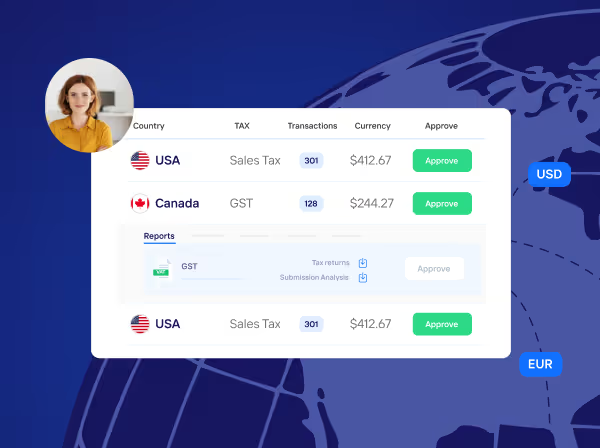
Taxually’s LumaTax runs a nexus analysis on your sales, helps you register in the states where you must collect, and prepares and files multi-state sales tax returns, including Canadian GST/HST. LumaTax is currently available to enterprises and accounting firms. For the full workflow, read how to automate US sales tax filing in every state.
Related guides

Frequently asked questions
Why do small businesses get audited?
Audits can happen for many reasons—late filings, calculation errors, missing registrations, or inconsistencies in reported sales. Some industries, like cash-heavy or high-revenue businesses, are more likely to attract scrutiny.
How can I reduce my audit risk?
Stay compliant by registering in all states where you have nexus, filing on time, using accurate software for tax calculations, and keeping complete, organized records of all transactions and filings.
What are common sales tax audit red flags?
Frequent filing errors, missing sales records, unregistered nexus states, or large unexplained deductions can all raise red flags with state tax authorities.
Is sales tax software worth the investment?
Yes. Automated filing tools minimize human error, ensure accuracy across multiple states, and often include audit protection features that can save you time, stress, and money in the long run.
What should I do if I’m audited?
Stay calm and organized. Provide accurate records promptly, and if possible, work with a CPA or tax expert who can represent you and ensure the process is handled correctly.