Key takeaways
- Understand and track nexus rules: Monitor both physical and economic nexus across states to ensure you're registering and collecting tax where required.
- Automate tax compliance: Use e-commerce tax software to handle real-time rate calculations, track thresholds, and file returns accurately and on time.
- Stay compliant as you grow: As your sales expand across jurisdictions or channels, scalable tax software can help you meet local, national, and international tax obligations.
In short: The top sales tax best practices for e-commerce businesses are to know where you have nexus, register before you collect tax, and automate rate calculations. You should also track economic nexus thresholds, file on time, and account for local taxes and exemptions. Finally, understand marketplace facilitator laws, plan for cross-border sales, and use scalable sales tax software.
Managing e-commerce tax duties is no easy feat. Sales tax laws keep changing, rates differ between jurisdictions, and sales channels keep growing. So online sellers must stay proactive to remain compliant. You may be just starting your e-commerce business or scaling across many jurisdictions. Either way, the right strategies help you collect and remit tax accurately and avoid costly penalties.
Here are 10 best practices every e-commerce seller should follow to simplify their sales tax obligations.

1. What is sales tax nexus, and when do you have it?
Sales tax nexus is the connection between your business and a state that triggers your sales tax obligations. Nexus can be:
- Physical, such as having an office, employee, warehouse, or inventory in a state.
- Economic, which occurs when you exceed a state’s sales threshold. This is usually based on sales volume or transaction count over the past or current calendar year.
Each state defines sales tax nexus differently. So it’s important to monitor both your physical presence and your sales activity to stay fully compliant.
2. Do you need a sales tax permit before collecting tax?
Yes. It’s illegal to collect sales tax without a valid sales tax permit. Once you have nexus, your next step is to register with the state’s tax authority.
Registration requirements vary by state and sometimes by local jurisdiction. Be sure to complete the correct paperwork for each location.
3. Why should you automate sales tax calculations?
You should automate sales tax calculations because rates can differ a lot based on your customer’s shipping address. Both the statewide sales tax rate and local tax can change. Handling sales tax calculations by hand takes time and leads to errors.
To avoid these problems, use sales tax software for e-commerce that provides:
- Real-time rate calculations
- Support for local tax rates
- Built-in sales tax exemptions logic
- Integration with your checkout system
Leading sales and use tax software can sharply cut filing errors and ensure accurate sales tax collection.
4. How do you monitor economic nexus thresholds?
You monitor economic nexus thresholds by tracking your sales and transactions in every state you sell to. Many states enforce a $100,000 or 200-transaction rule, but this can vary.
Use tax automation tools that alert you when your annual sales approach a threshold in any state. Being proactive lets you register and collect tax before you're out of compliance. You can also read Inside Ecommerce Tax Compliance for High‑Growth Brands.
5. How do you file sales tax returns accurately and on time?
Once registered, you must file sales tax returns and remit taxes as often as each state requires. This is typically monthly, quarterly, or annually.
Keep in mind:
- Filing frequencies may change based on your sales volume.
- Even if you made no sales in a period, you may still need to submit a "zero return."
- Late filings can lead to fines, interest, and the loss of your sales tax permit.
Sales tax filing software helps you meet deadlines and file in the correct format.
6. How do local sales taxes affect you?
Local sales taxes add to statewide rates in many areas, at the city, county, or district level. These local jurisdictions often have their own sales tax rules. This makes compliance even more complex.
For example, some home rule cities in Colorado run their own tax separately from the state. That means separate registration, collection, and filing.
Use e-commerce tax software that handles detailed local tax rates. It should adjust automatically based on your customer’s ZIP code.
7. What’s taxable—and what’s not?
Not all products and services are taxed the same way. Sales tax exemptions vary by state and product category. Some states don’t tax clothing or groceries, while others tax digital downloads or SaaS (Software-as-a-Service).
Always check whether your products are taxable in the states where you sell. If in doubt, ask a tax professional with experience in e-commerce sales tax.

8. What are marketplace facilitator laws?
Marketplace facilitator laws require platforms such as Amazon, eBay, Etsy, or Walmart to collect and remit sales tax for you. Many states have marketplace facilitator laws like this. Read more in our guide: When Sales Tax Automation Breaks Down Across Marketplaces.
However, you may still need to:
- Register for a sales tax permit
- Report marketplace sales
- File informational sales tax returns
Ignoring these laws can leave gaps in your sales tax compliance strategy.
9. How do you plan for international and cross-border sales?
You plan for cross-border sales by checking which foreign taxes apply, because these sales add even more complexity. If you sell to international customers, you may face VAT, customs duties, or other tax obligations.
For example:
- Selling into the EU may require VAT registration.
- Shipping into Canada might trigger GST/HST obligations.
- Selling digital goods globally may require you to collect tax in multiple countries.
Tax software that supports international selling is vital to keep your global operations compliant.
10. Why invest in scalable sales tax software?
Scalable sales tax software matters because manual tax tracking can’t keep up once you sell in many states, use several sales channels, or grow fast.
Features to look for in the best sales tax software include:
- Automated sales tax calculations and rate updates
- Nexus tracking by tax jurisdiction
- Seamless integration with e-commerce platforms
- Filing and remittance automation
- Dashboards and reporting tools
- Support for e-commerce business models and marketplace sales
Whether you’re a startup or an enterprise, the best sales tax software for business will help you scale while staying compliant.
What’s the key takeaway on e-commerce sales tax?
Sales tax duties are an unavoidable part of running an e-commerce business. But with the right tools and processes, you can streamline tax collection and stay ahead of sales tax rules. You can also stay fully compliant across the board. For a closer look, see Fixing Marketplace Sales Tax Automation Failures.
You may sell in one state or across the U.S. Either way, these best practices and the right sales tax software will help you scale confidently and reduce risk.
Need help managing your e-commerce tax?
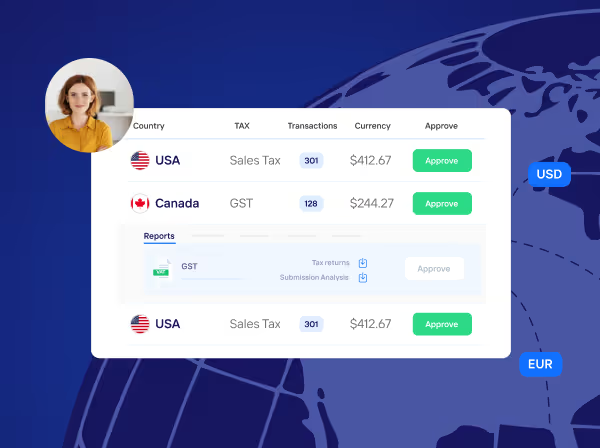
LumaTax, Taxually’s e-commerce sales tax software, is built for growing businesses that sell across many jurisdictions. Our automated solution helps you stay compliant, accurate, and audit-ready. It can also save your business up to 80% in time and costs compared to manual processes or traditional tax services.
Book a free call with our tax experts and discover how we can simplify your sales tax compliance today.
How Taxually handles this
Taxually’s LumaTax runs a nexus analysis on your sales, helps you register in the states where you must collect, and prepares and files multi-state sales tax returns, including Canadian GST/HST. LumaTax is currently available to enterprises and accounting firms. For the full workflow, read how to automate US sales tax filing in every state.
Related guides

Frequently asked questions
What is sales tax nexus, and why does it matter?
Nexus is a link between your business and a state that requires you to collect sales tax. It can be physical (like a warehouse) or economic (based on sales volume). Knowing where you have nexus is key to compliance.
Do I need a sales tax permit to collect tax?
Yes. You must register and get a valid permit from the state before collecting any sales tax from customers.
How can I simplify sales tax calculations and filing?
Use e-commerce tax software to automate rate calculations, track thresholds, and file returns on time with fewer errors.
What are marketplace facilitator laws?
These laws require platforms like Amazon or Etsy to collect sales tax for you—but you may still need to register or file informational returns.
Do I need to collect tax on international sales?
Often, yes. Selling internationally may trigger VAT or other tax obligations. Use software that supports global compliance to stay on track.